See these official GitHub tutorials if you would like a more in depth explanation:
Branches
Branches let us isolate our changes from each other, so we can work in parallel. Think about them as separate “versions” of the code that you can switch between.
In the ACF repository, the branch:
Masteris intended for (usually) stable releases with few bugs.Devis intended for the development of the addon and sometimes has bugs.- Other branches like
limitsetsare for larger features.
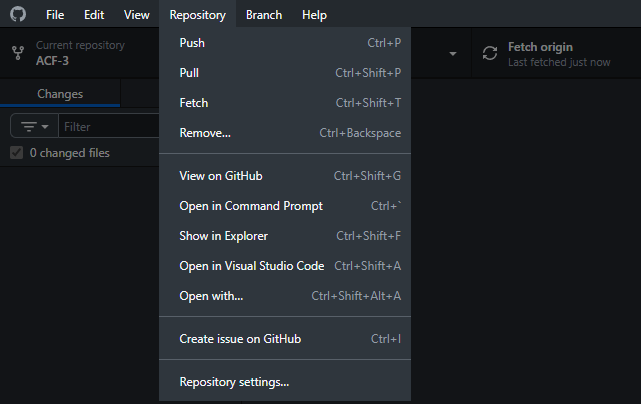
With your repository open in GitHub Desktop, click on Repository > Fetch:
Wait a bit and select the Current Branch drop down again:
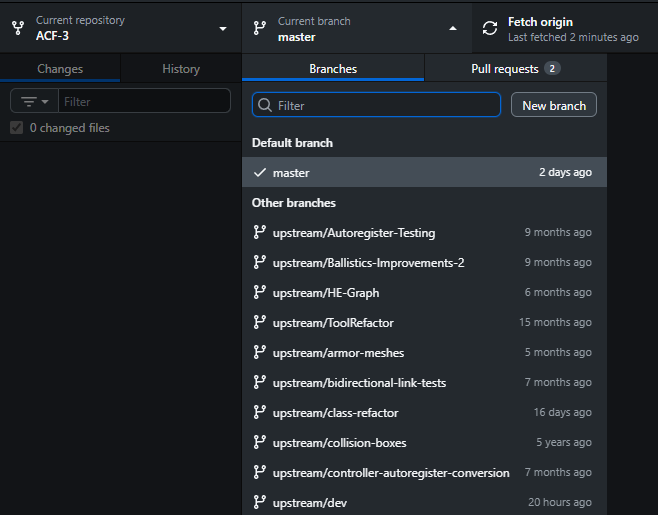
Select upstream/dev. Next, click the “New” branch button and base it on dev:
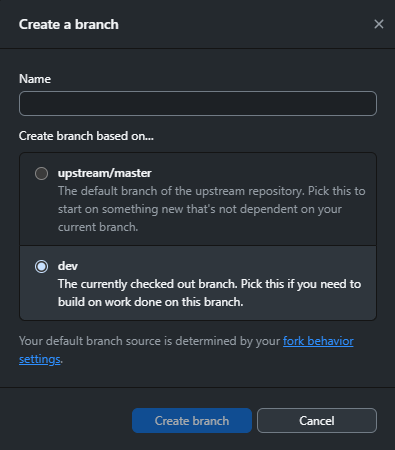
You will make your changes on this branch.
Commits
While working on your changes, it is good practice to make “Commits”. Think about them as checkpoints representing the changes you have made.
The following example is on a different repository and branch, but it is still applicable.
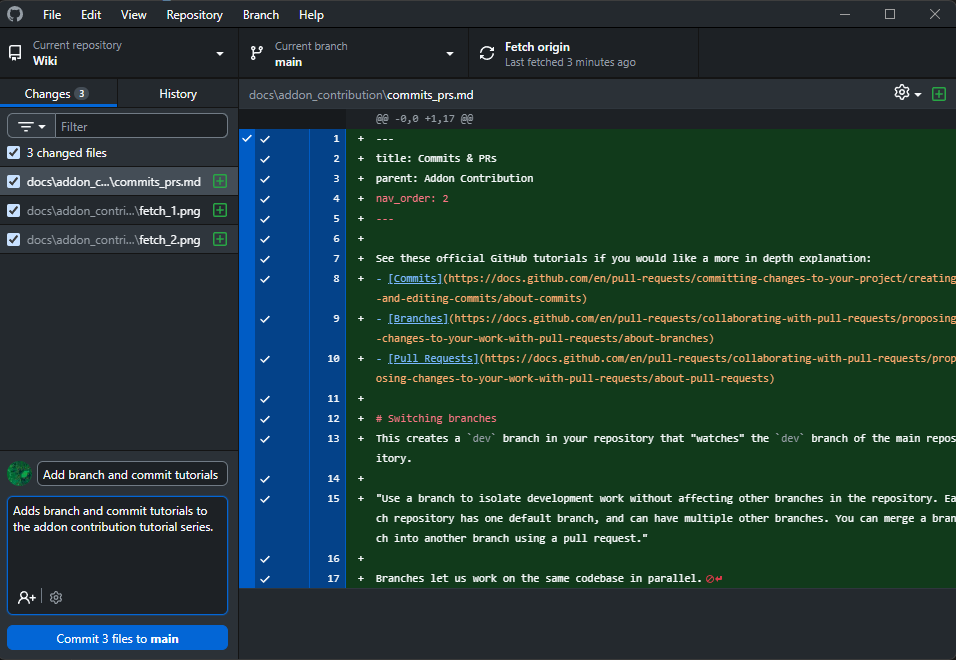
- GitHub Desktop has shown the changes I have made.
- You can check if you accidentally changed something you didn’t mean to.
- I have entered a short and concise summary of my changes in the title.
- It is good practice to write this in the “Imperative tense”, e.g. “Add” instead of “Added” or “Adding”.
- I have entered a longer explanation in the description.
- These aren’t required but can help people understand why you made the changes later on.
After pressing Commit 4 files to main, I check the History section to confirm.
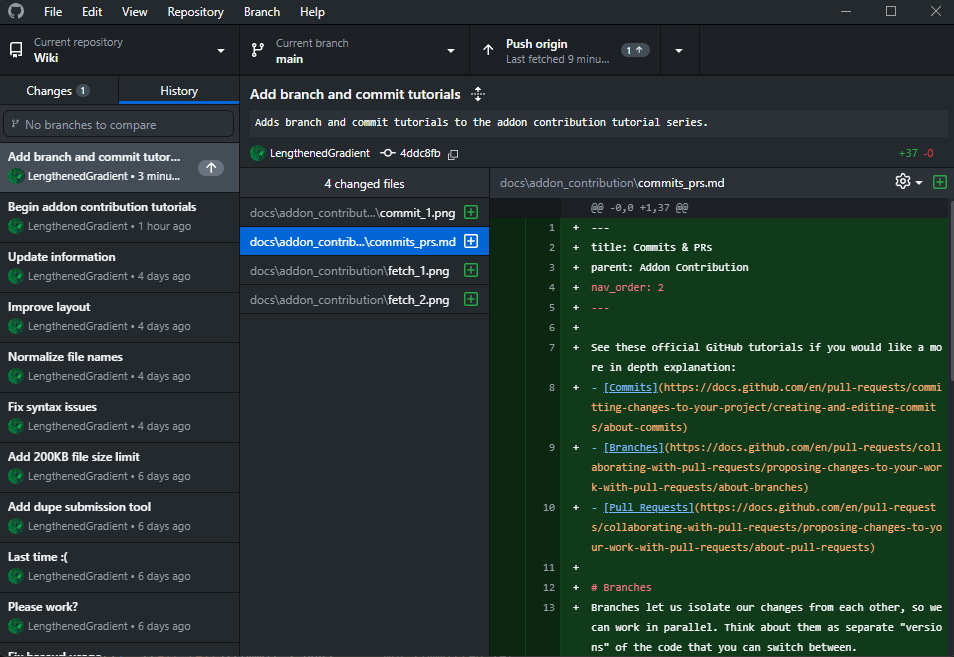
Clicking the Push origin button at the top right will push my changes to the repository (it would push to your fork in your case).
Pull Requests
Once you have comitted your changes on your fork, you can submit a Pull Request (PR) to the main repository.
After you submit a PR, we will review the changes you have made and we may request some changes. In that case you can commit and push fixes.
After we approve the PR, your changes will be merged into the main repository.
Start by navigating to your fork on GitHub and select the dev branch.
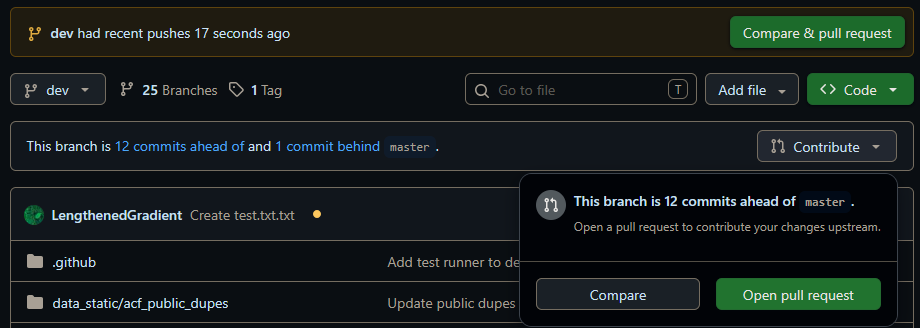
MAKE SURE YOU MERGE YOUR FEATURE BRANCH INTO DEV, NOT MAIN!!!
IT SHOULD LOOK LIKE THIS:

After creating the PR, check to make sure that your changes pass all the tests. Here’s an example of a failed test result:
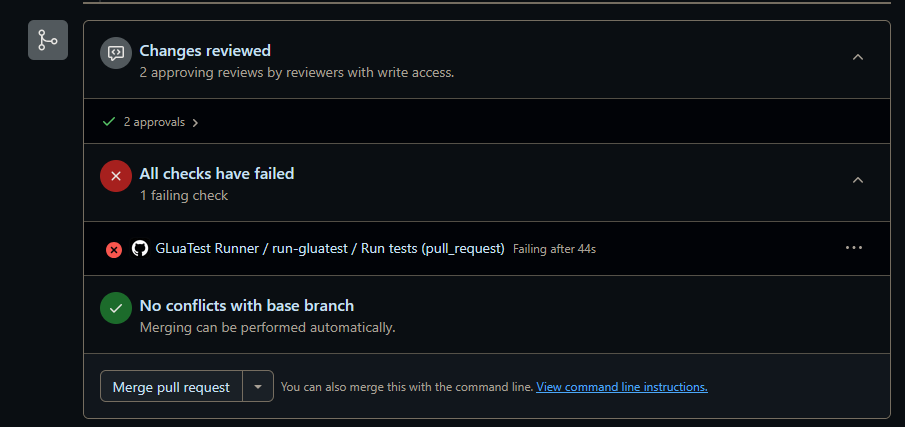
Here is an example of a recent PR submitted by a contributor.
Workflow:
In summary, the work flow of contributing goes like this:
- Commit your changes to a feature branch on your fork
- Submit a PR to merge your feature branch on your fork into dev in the main repository
- Ask any of the devs to review your PR and make changes if necessary
- Once your PR is approved, your changes will be in the main repository on the
devbranch - Once the devs complete a
master<-devmerge, your changes will be in the main repository on themasterbranch